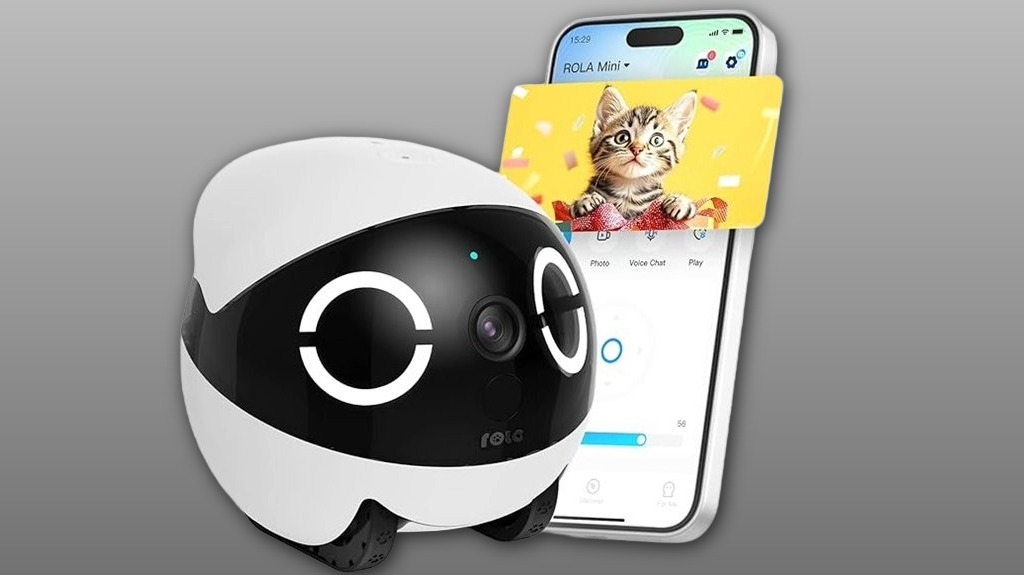
The Enabot EBO ROLA Mini Familybot 2K is a small wheeled home-monitoring robot you’ll find easy to use; it gives crisp daytime 2K video, usable night vision, and low-latency two-way talk for quick check-ins with family or pets. You’ll control it with the ROLA app, get a 32 GB microSD for local recording, and use the magnetic USB‑C charger for top-ups since there’s no auto-dock. It’s nimble but can struggle in cluttered spaces, and more details explain setup and limitations.
Some Key Takeaways
- Crisp daytime 2K video and usable night vision from four IR LEDs, though fine detail declines in very low light.
- Smooth, low-latency streaming and natural-feeling two-way talk for real-time check-ins.
- Nimble wheeled mobility with self-righting and basic obstacle avoidance, but tight clutter can cause bumps.
- 5000 mAh battery with magnetic USB-C charging; no auto-dock means manual top-ups and runtime varies by use.
- Easy ROLA app setup with one-touch pairing, included 32 GB microSD, and firmware updates for reliability.
What the ROLA Mini 2K Actually Is and Who It’s For
Think of the ROLA Mini 2K as a small, wheeled home-monitoring robot that brings a 2K camera, two-way talk, and remote mobility to everyday household checks. You’ll find it useful if you want a friendly, mobile presence that joins family activity, watches pets, or checks on rooms without shouting across the house. It’s especially suited for elderly monitoring when you need quick visual confirmation and conversation from afar. You’ll like its approachable design and simple app-driven control, but remember it’s battery-powered without auto-docking, so plan charging around routines for consistent coverage. It’s a good option for family pet owners looking for pet monitoring solutions that blend mobility with easy setup.
Key Specs at a Glance: Camera, Battery, Movement, and What’s in the Box
While compact, the ROLA Mini 2K packs clear imaging, mobile monitoring, and long runtime into a simple package: its 2K camera with night-vision LEDs captures sharp day-and-night footage (a 32 GB microSD card is included), the 5000 mAh battery gives extended use with a magnetic USB‑C snap-on charger for easy top-ups, and the wheeled, self-righting body lets the unit move around your home for remote checks — just note it doesn’t auto-dock, so you’ll manage recharging manually. You’ll appreciate included essentials: robot, cable, microSD, manual. Check battery health over time and adjust privacy settings in the app to protect your household. Consider how this unit could fit into your overall pet-care routine with dry dog food choices for family pets.
Real-World Performance: Video Quality, Night Vision, Mobility, and Two-Way Talk
When you use the ROLA Mini in everyday settings, its 2K camera delivers noticeably crisp daytime footage and the four IR LEDs produce clear, usable night vision for typical indoor distances, though fine detail drops in very low light. You'll appreciate low video latency for smooth remote check-ins and natural two-way talk that feels conversational; the mic and speaker work well for brief chats. Mobility is nimble—wheels and self-righting design let it navigate living spaces and stay upright after bumps. Obstacle avoidance helps prevent frequent collisions, though tight cluttered areas still challenge its pathing. The ROLA Mini is part of a growing category of devices designed for family pet owners and offers features tailored to home use, including two-way pet cameras for real-time interaction.
Setup, App Experience, and Connectivity Tips (5 GHz Wi‑Fi Advice)
Get the ROLA Mini onto your network first, and you'll avoid most setup headaches—use the ROLA app and follow the one-touch call flow to pair the robot, grant camera/microphone permissions, and complete initial firmware updates. You'll appreciate the clear network setup prompts and community-oriented tooltips that make pairing less isolating. Prefer 5 GHz for initial pairing; if your router is dual-band, separate bands to avoid band steering confusion. If connection drops, use signal troubleshooting: move closer, disable band steering temporarily, or reboot router. The app's firmware updates and real-time diagnostics keep your ROLA Mini reliable and easy to share. Our store focuses on helping family pet owners find the right pet webcam product selection for their needs.
Verdict: Strengths, Limitations, and Who Should Buy the ROLA Mini
If you want a compact, charming mobile pet camera that’s easy to set up and gives crisp 2K daytime and usable night footage, the ROLA Mini delivers on those core promises while staying simple to use. You’ll appreciate its playful design, reliable two‑way talk, and included 32 GB card for local recording. Strengths: image clarity, mobility, and approachable app make it feel like part of your home. Limitations: no auto‑recharge dock and battery lifespan depends on usage. Be mindful of privacy concerns with any connected camera. Buy it if you want friendly monitoring without complexity. This makes it a great fit for families looking for pet camera accessories that integrate smoothly into a household.
Some Questions Answered
Does the Robot Support Firmware Updates Over the Air?
Yes — you can update the robot over the air via the ROLA app. You’ll get firmware security improvements pushed through OTA, and you should check update frequency in the app settings so you don’t miss critical patches. You’ll feel included when updates arrive, since the app notifies you and makes installation easy. If you’re unsure, review the manual or app release notes to confirm current update policies and schedule.
Can Multiple Users Control the Robot Simultaneously?
Yes — you can have Shared Control, but you’ll want to manage User Permissions. You’ll be able to invite others via the app and grant access for live view, two-way talk, and remote driving. That fosters belonging while keeping control clear: assign full or limited permissions so everyone can participate without stepping on each other. If simultaneous commands conflict, the app prioritizes one stream, so coordinate who’s driving.
Is There Any Subscription Required for Cloud Video Storage?
No, there’s no mandatory subscription for cloud backup; basic recording uses the included 32 GB microSD card. You can opt into cloud backup and premium features if you want remote storage, extended history, or advanced alerts. If your group values shared access and peace of mind, you’ll appreciate choosing a paid plan for extra convenience. Check the app’s options to compare tiers and decide what fits your household needs.
Can the Robot Be Scheduled to Patrol Automatically?
Yes — you can schedule patrols. You’ll use patrol modes and set scheduled routes in the app so the robot travels predefined paths at chosen times. It won’t auto-dock to recharge, so plan routes within battery range. You’ll get real-time video during patrols and can interrupt or call it back anytime. This gives you predictable monitoring and a shared sense of control and safety around your home.
Is the Device Compatible With Smart Home Assistants (Alexa/Google)?
No — it doesn’t natively support voice control via Alexa or Google Assistant. You’ll still feel included because the app’s one-touch call and two-way talk let you interact directly, but true smart-home voice integration isn’t provided out of the box. If you rely on voice routines, plan integration testing with third-party tools or hubs; some users bridge devices, but that requires extra setup and isn’t officially supported.